Design manager
Product manager
2 Engineers
Research, Cross functional collaboration, Wireframming, Design, prototyping, Usability Testing, Dev handoff
2 Months
(To solve this, I designed a post approvals system by iterating multiple users flows and wireframes)
Which is mostly used by brands like PUMA, Mc Donald's etc...
For example, think of a busy traffic junction with no traffic lights or rules. If everyone drives whenever they want, it leads to traffic jams and accidents.





Things would go smoothly if they brand is having only one account, since there would less team members and the number of post would also be less in numbers.
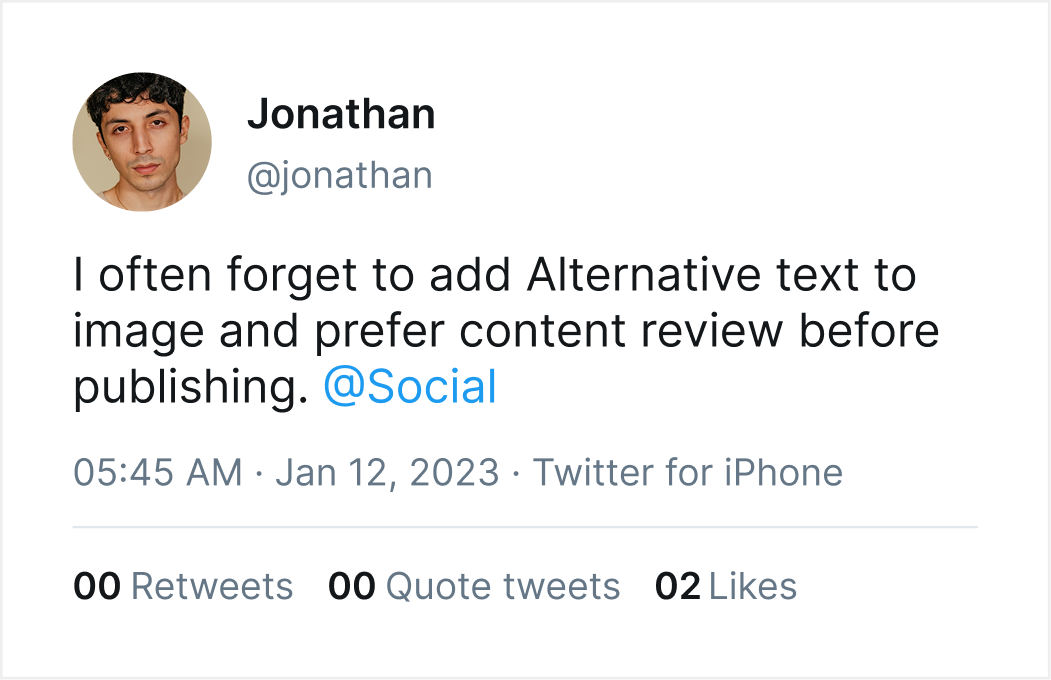
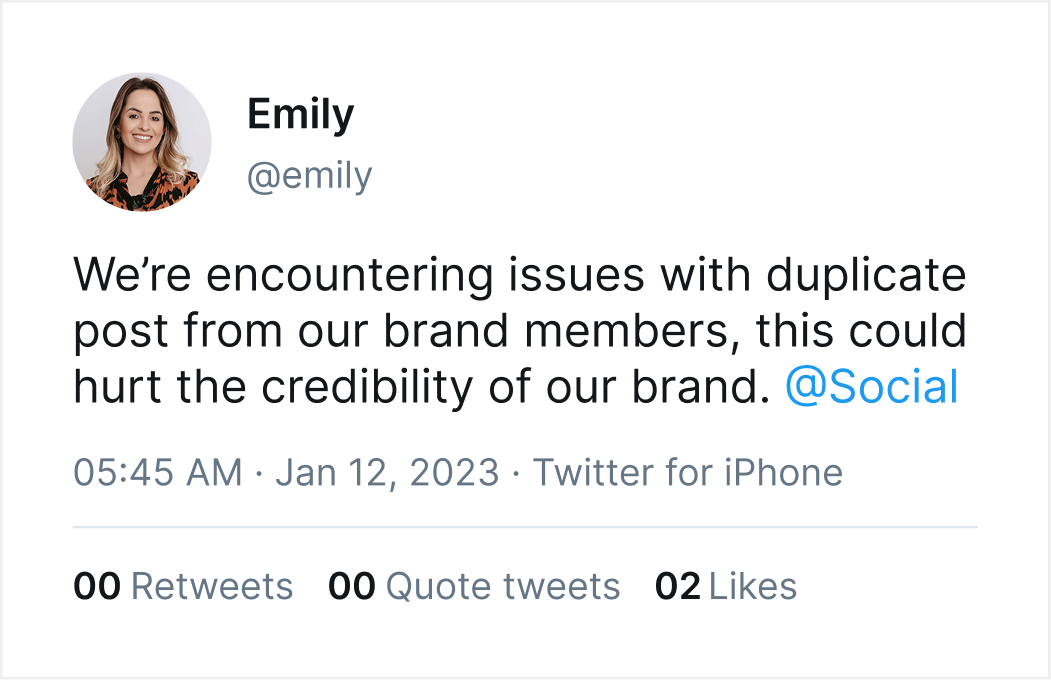
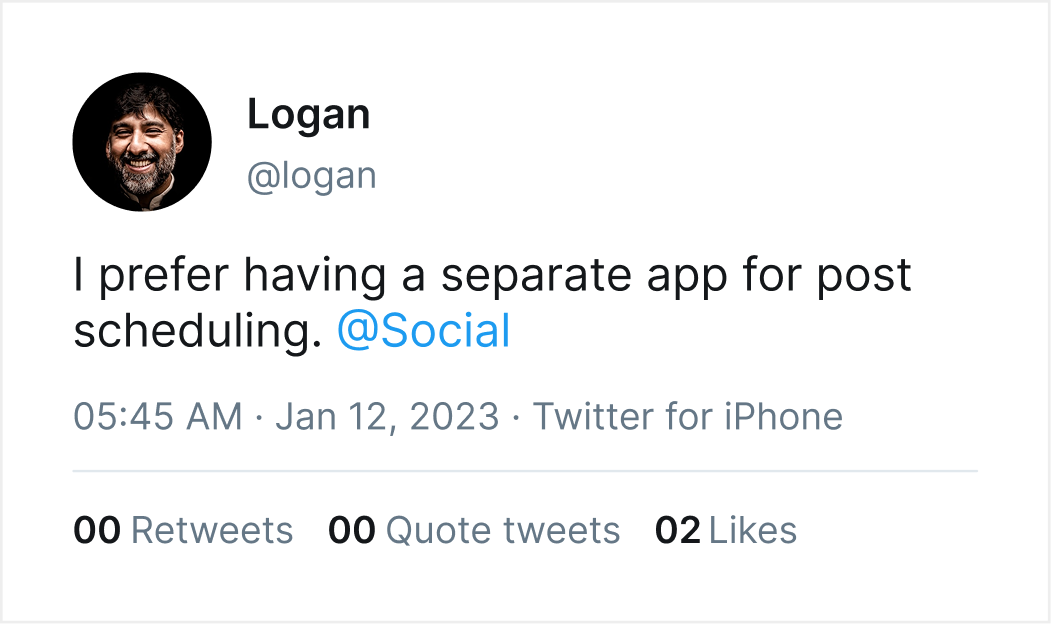
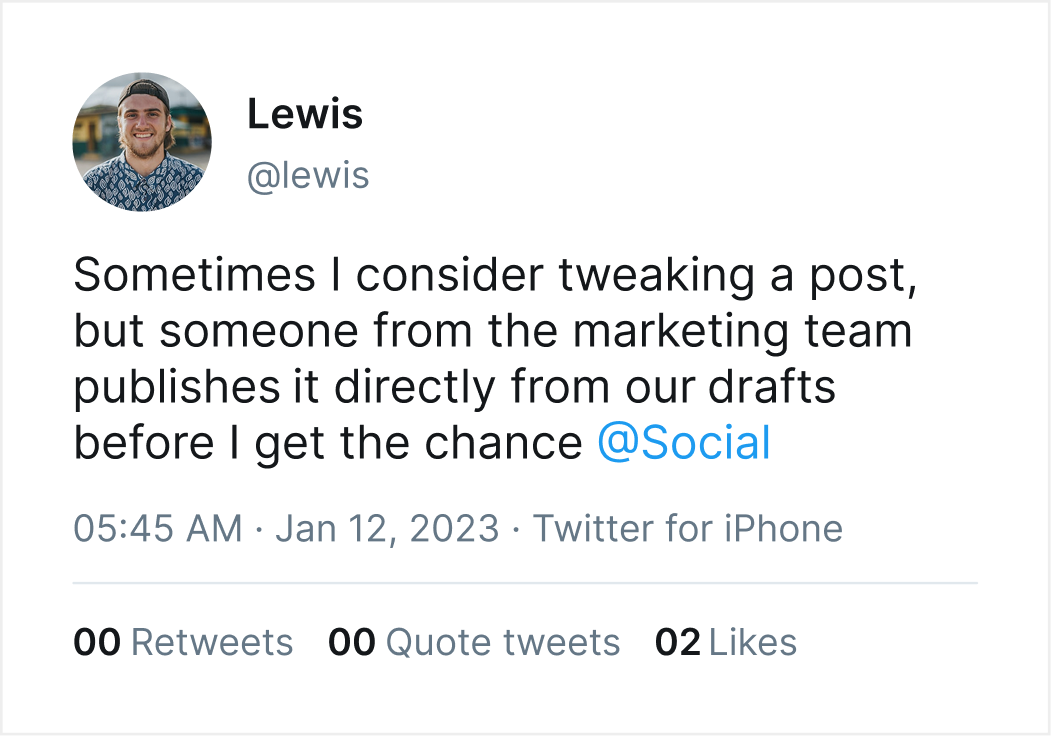
A brand with multiple accounts and huge numbers in brand members usually post a 50+post in a day and this is where the tension begins. More brand members would be working in a post and there would be timezone differences and things light that and all these will happen without anyone to oversee.


Where Admin verify the post made by the brand members and publish it.
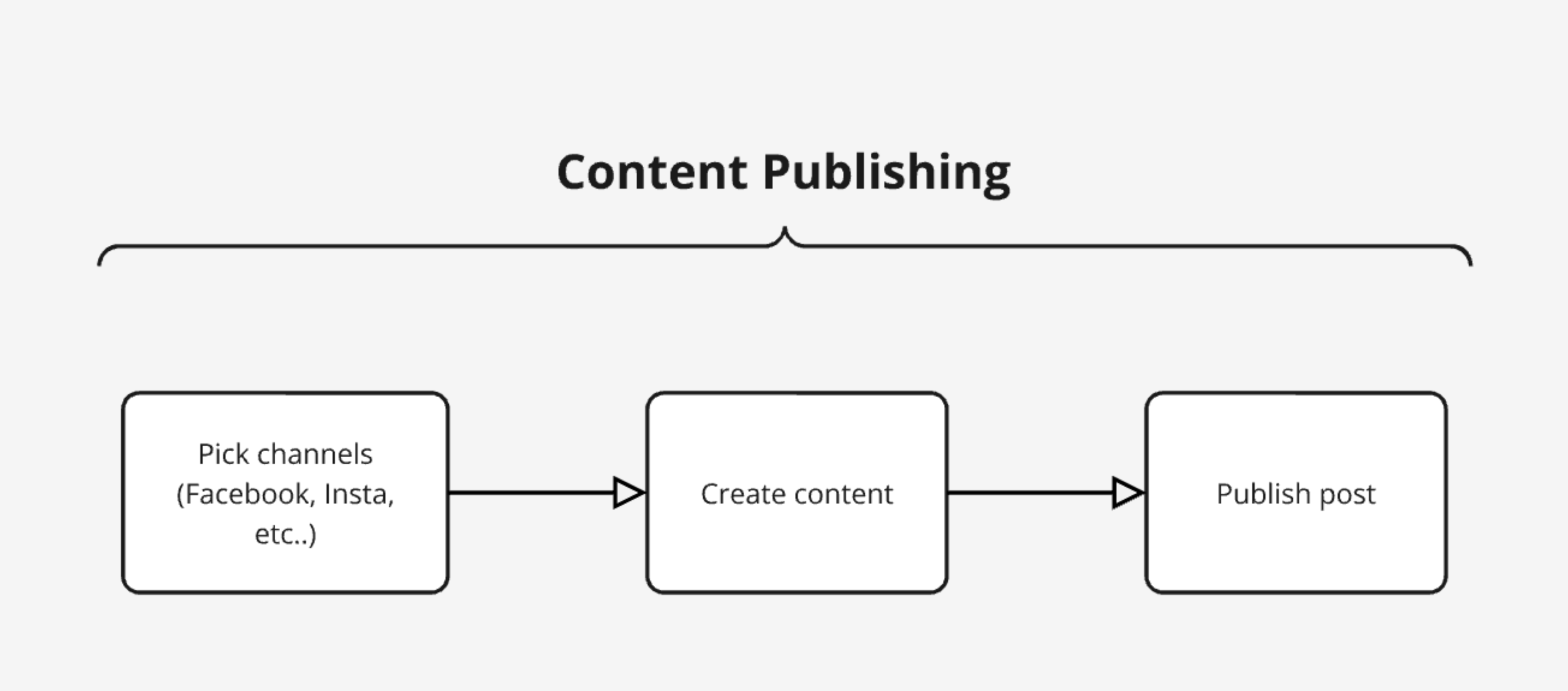
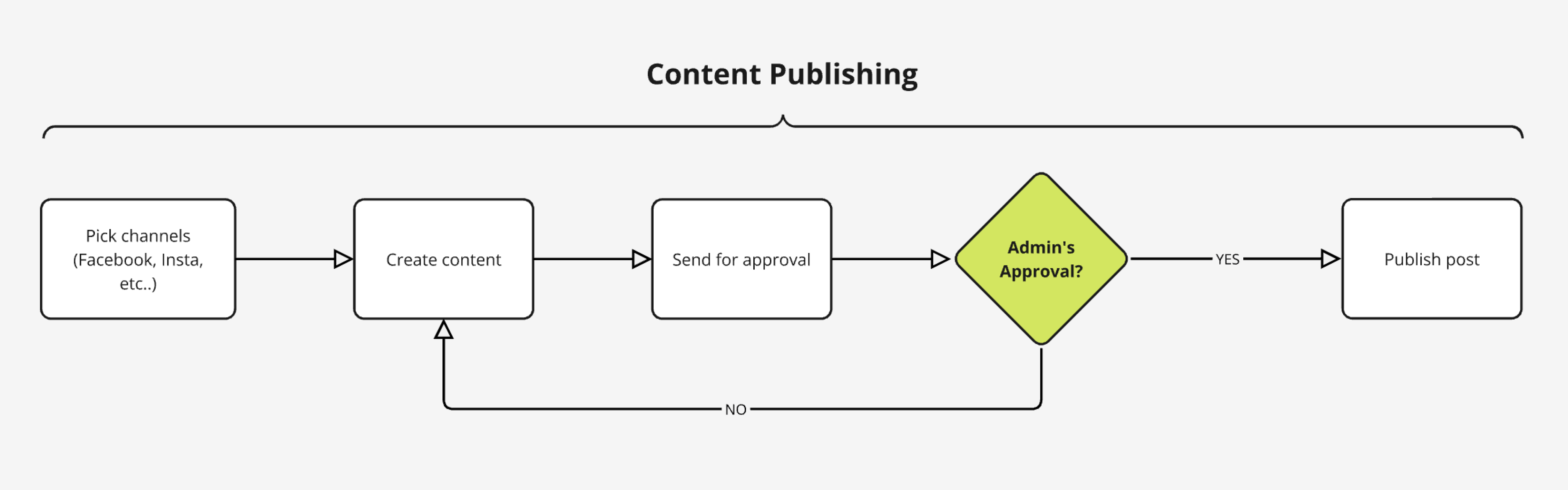
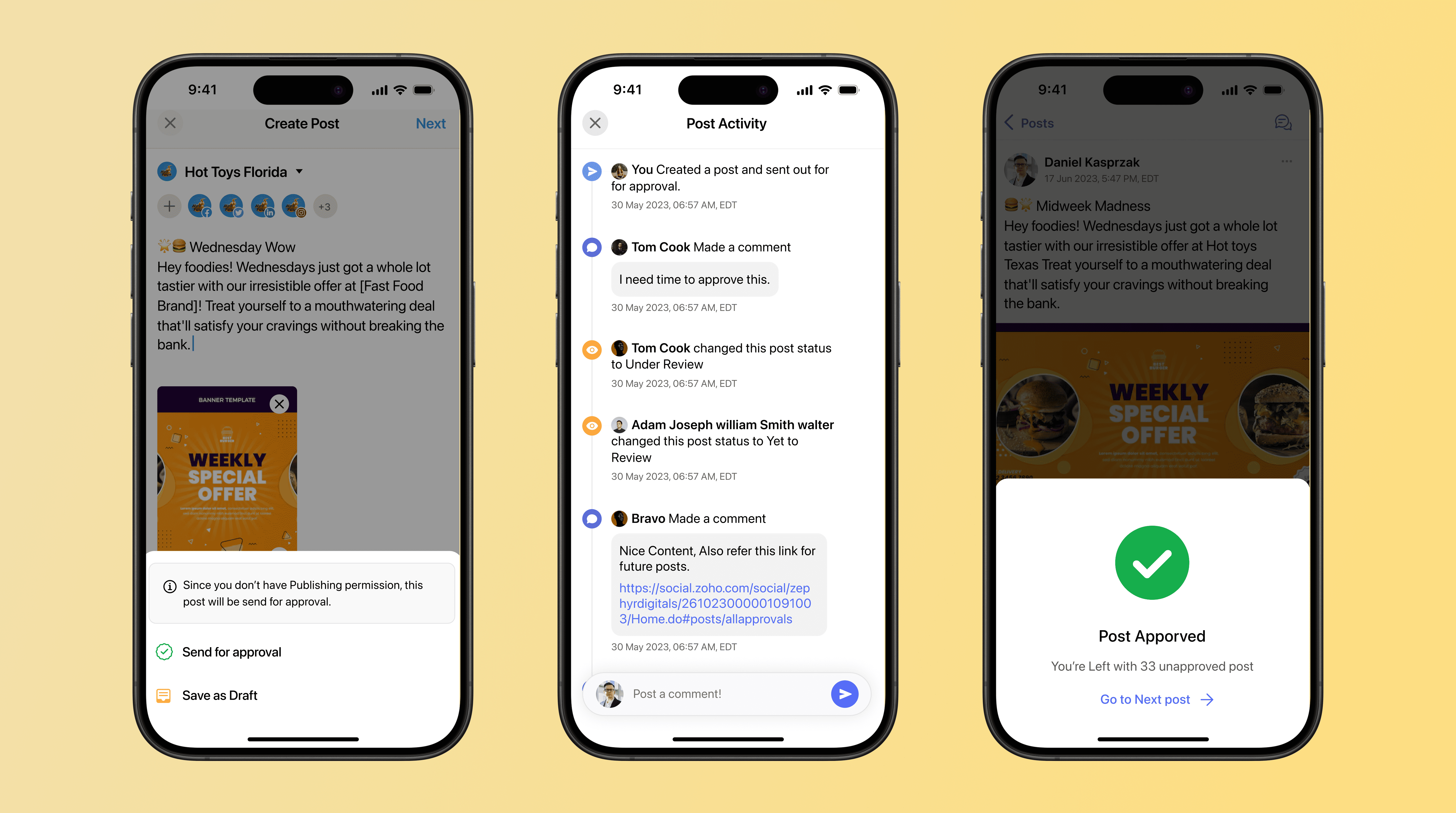
As our first focus, I designed a new flow for Brand members to send their post to admin for review as their mandatory step for post publishing. By doing this it solved our core problem which is Content mismatch and Duplicate post since there would be an admin to oversee the corrections and to manage.
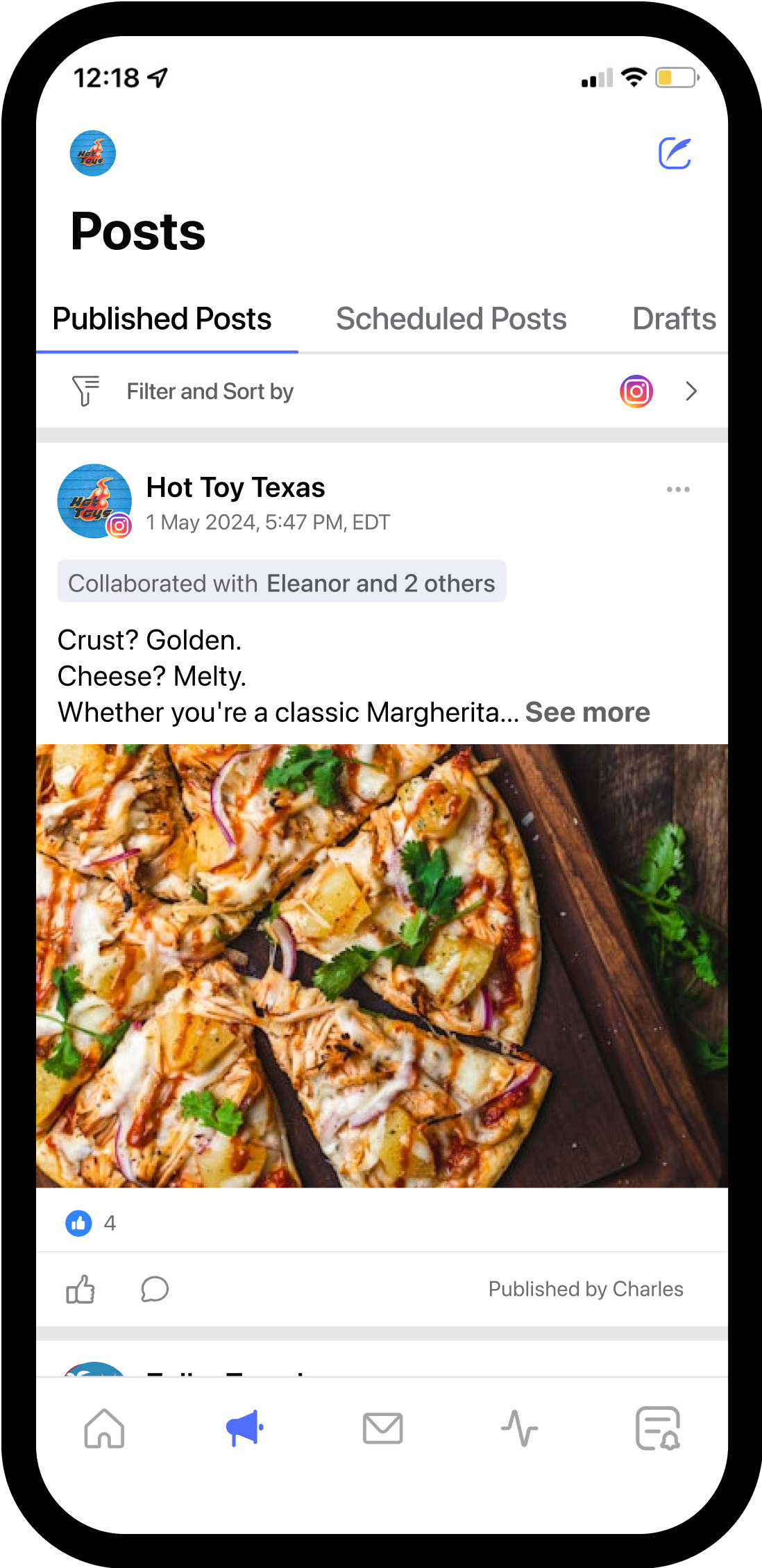
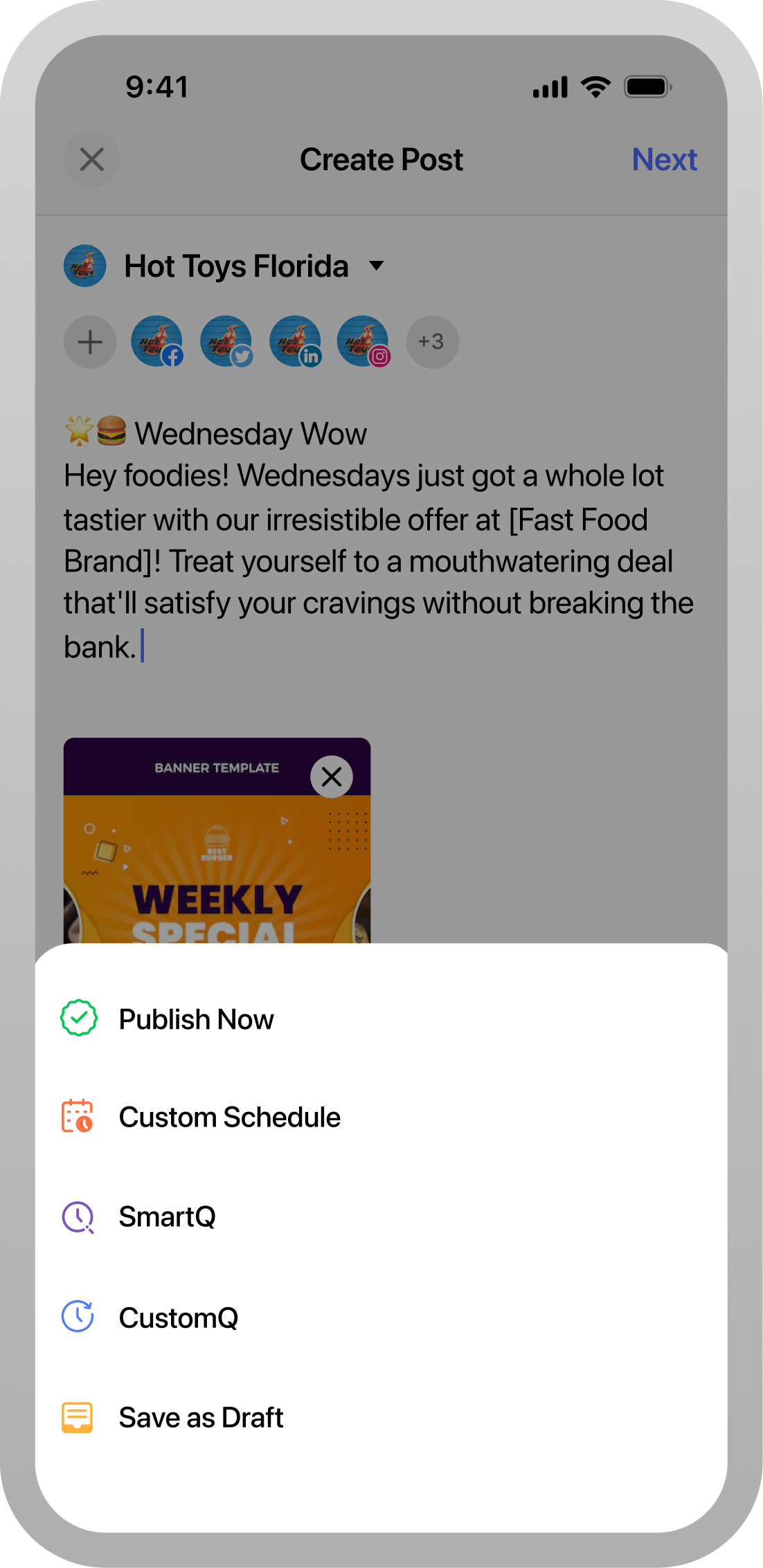 Before
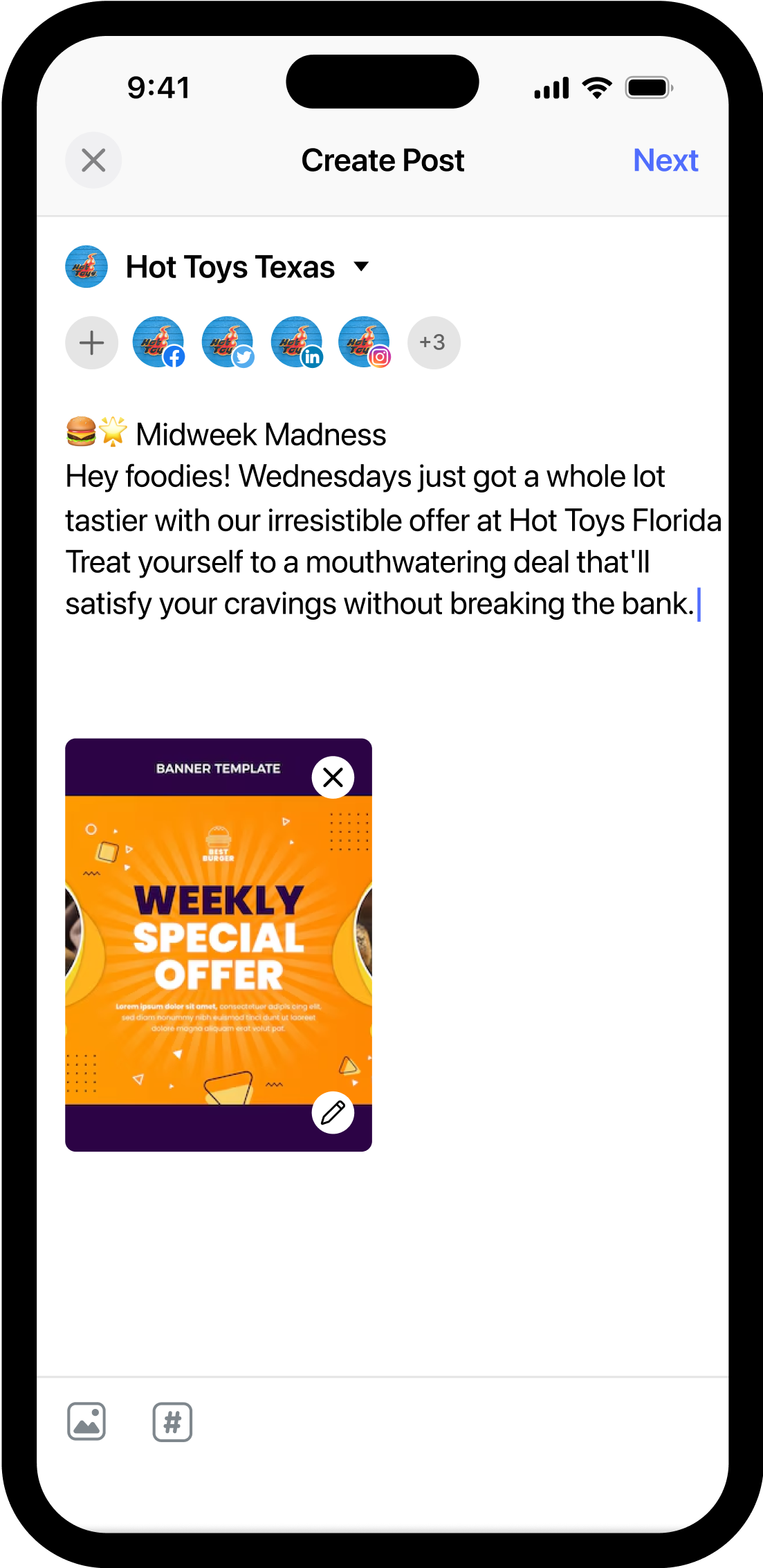
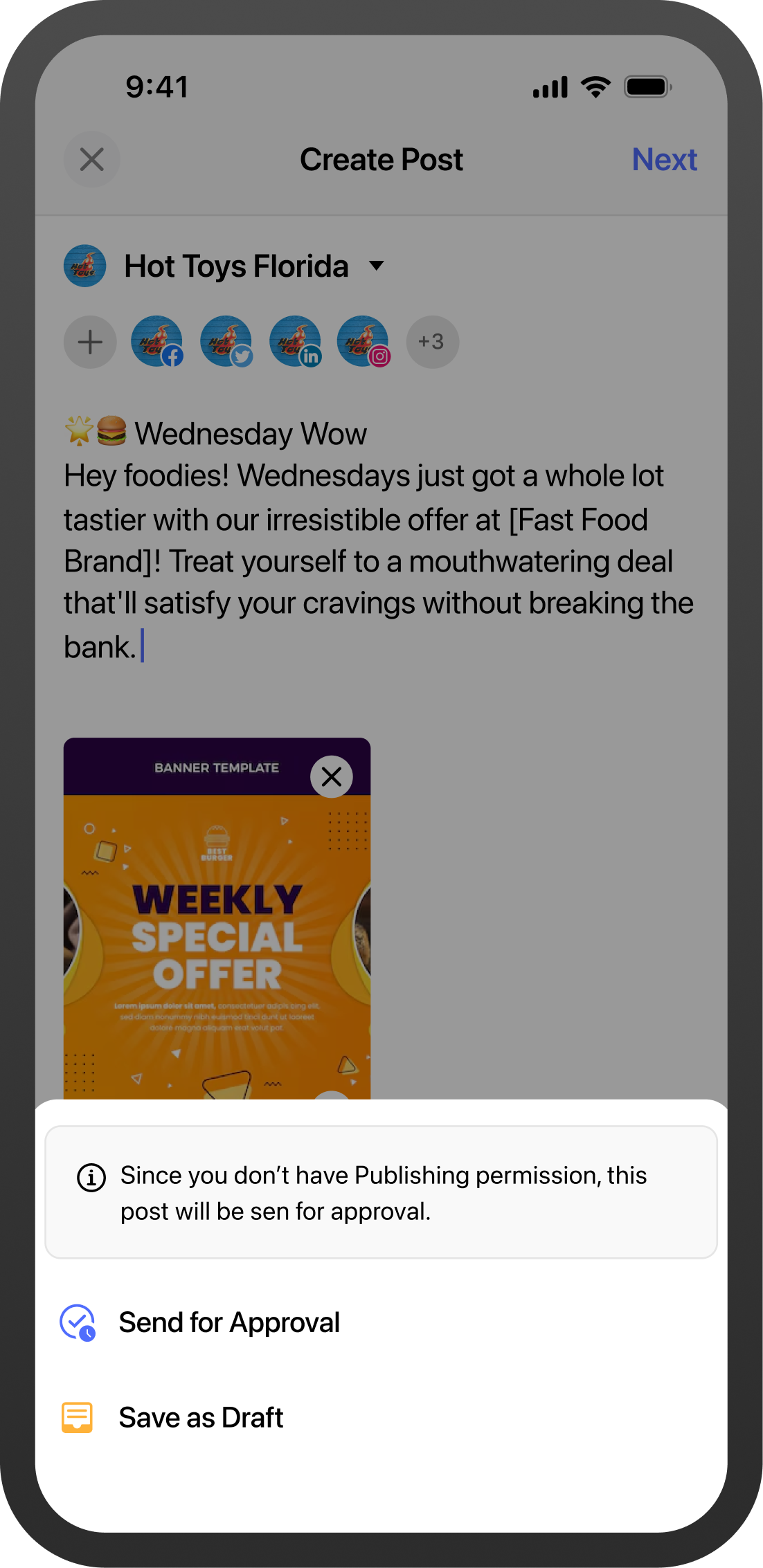 After
After
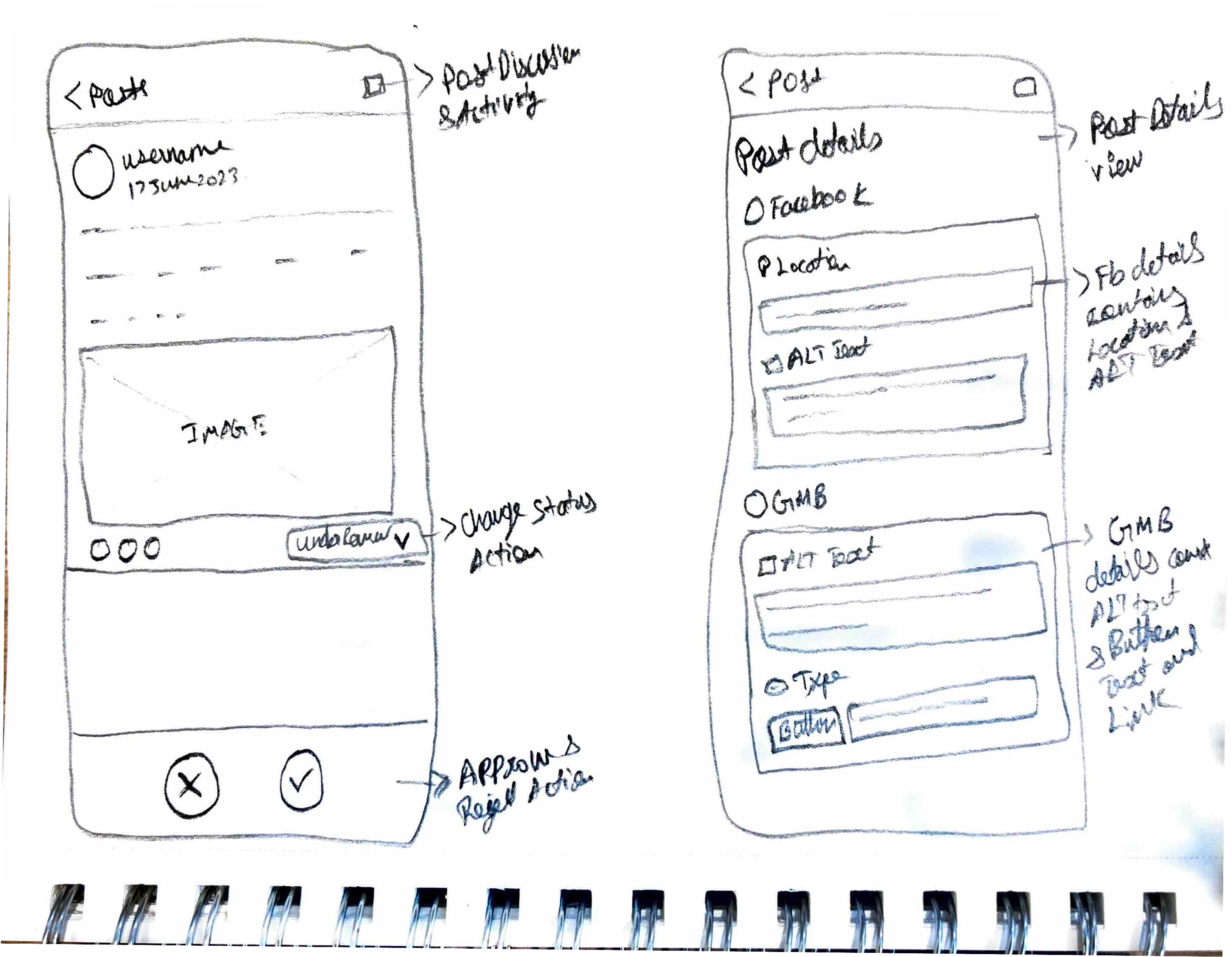
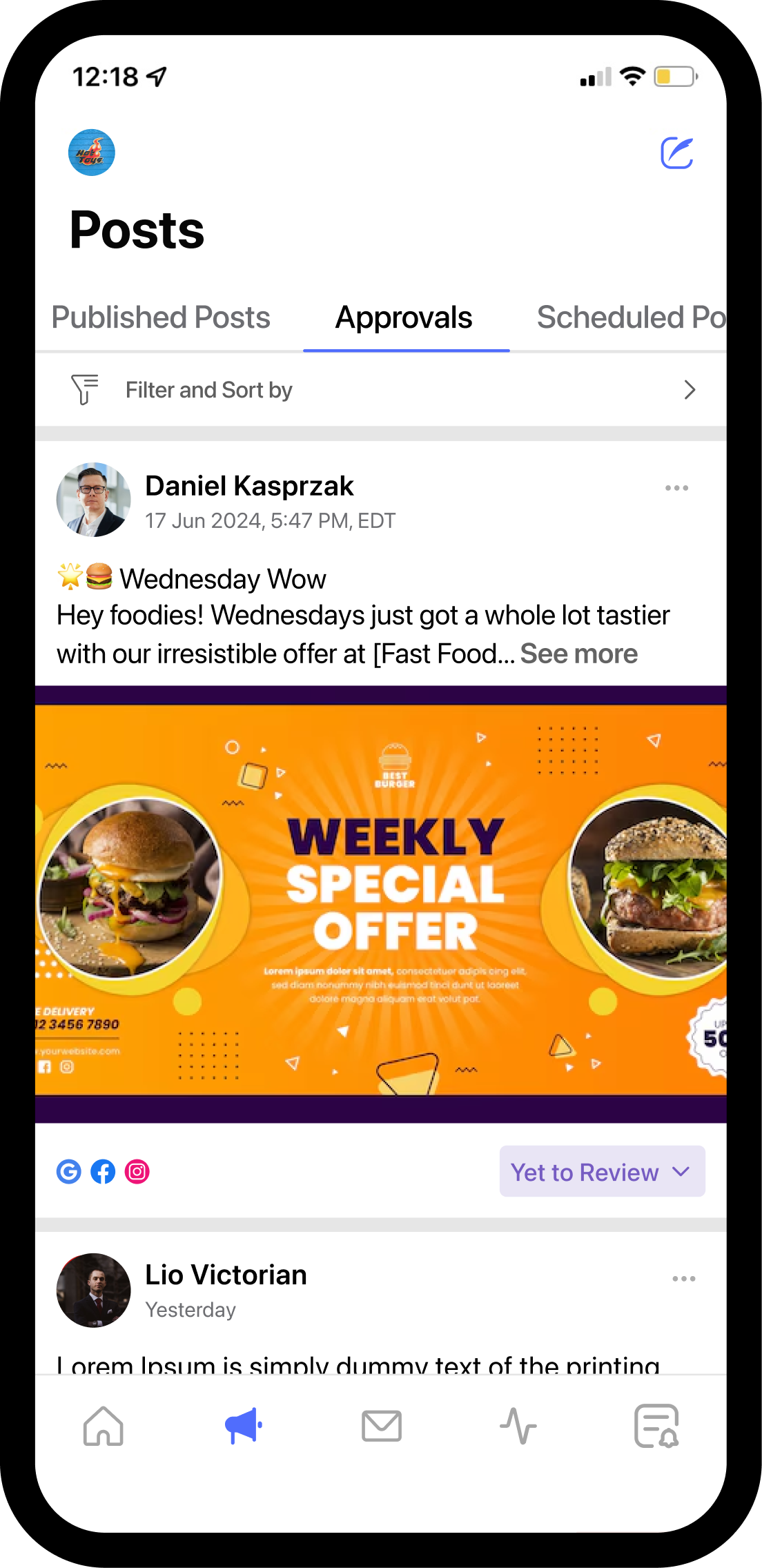
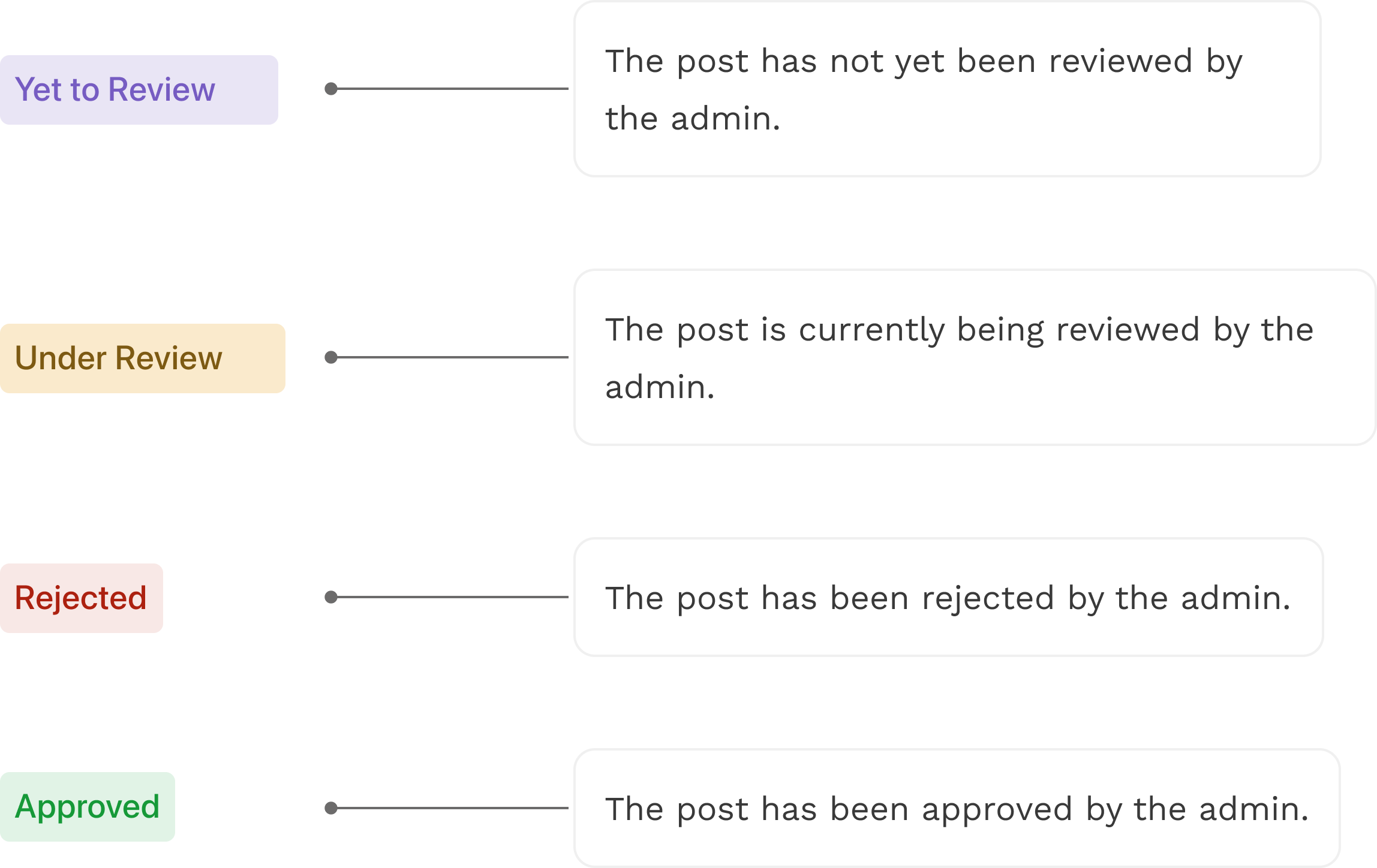
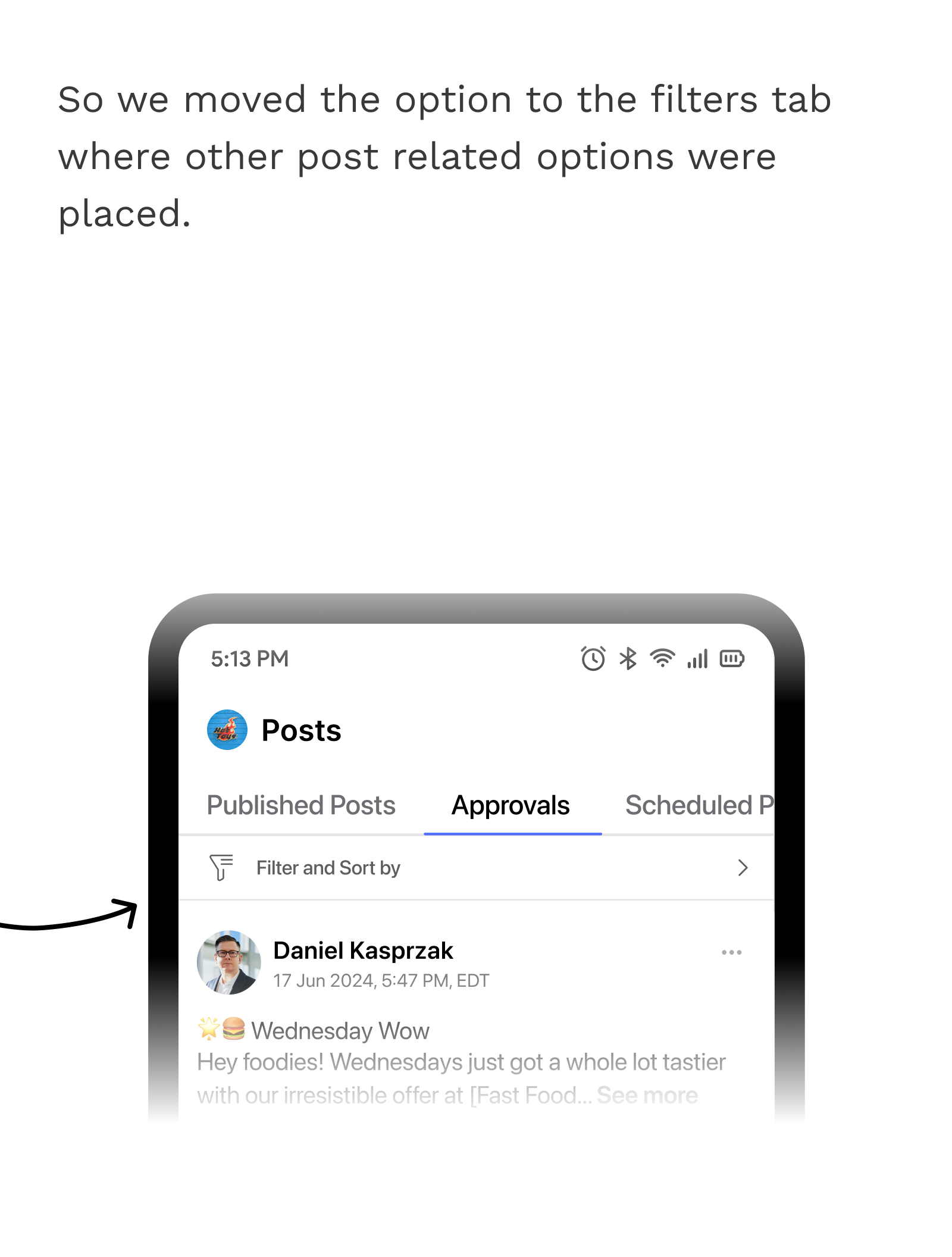
So, I designed a new tab in post area named approvals where admin can either approve or reject a post and brand member can see the status of their post. which I shown below.
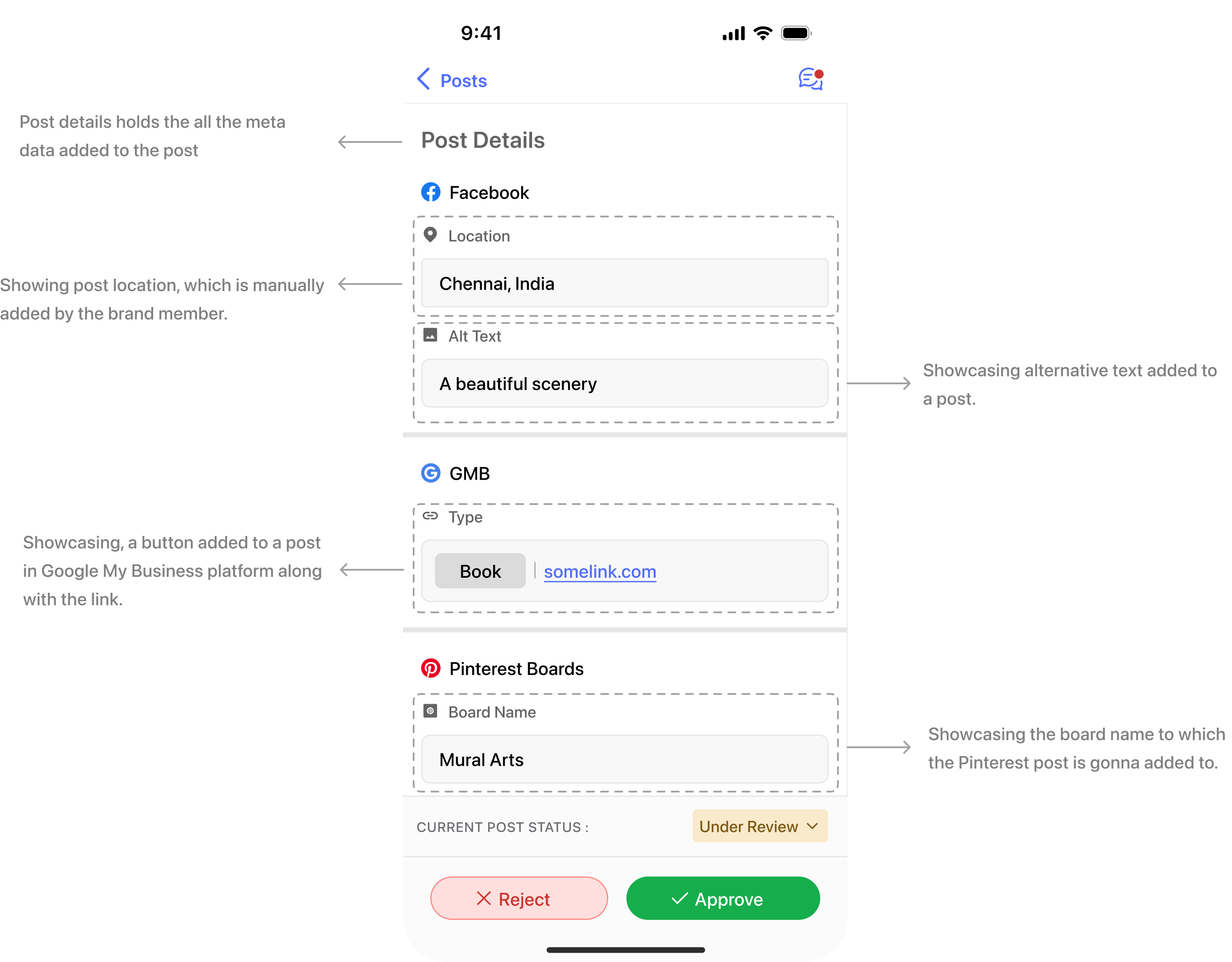
So for admin to review the post, I have created a detailed view to see the platform specific details, like for example all the social media platforms ( Instagram, Facebook, Google my business) it’s important to add Alternative text for each image. but it’s also common for people to forgot to add it. So this detailed view can help admin to verify those tiny details.

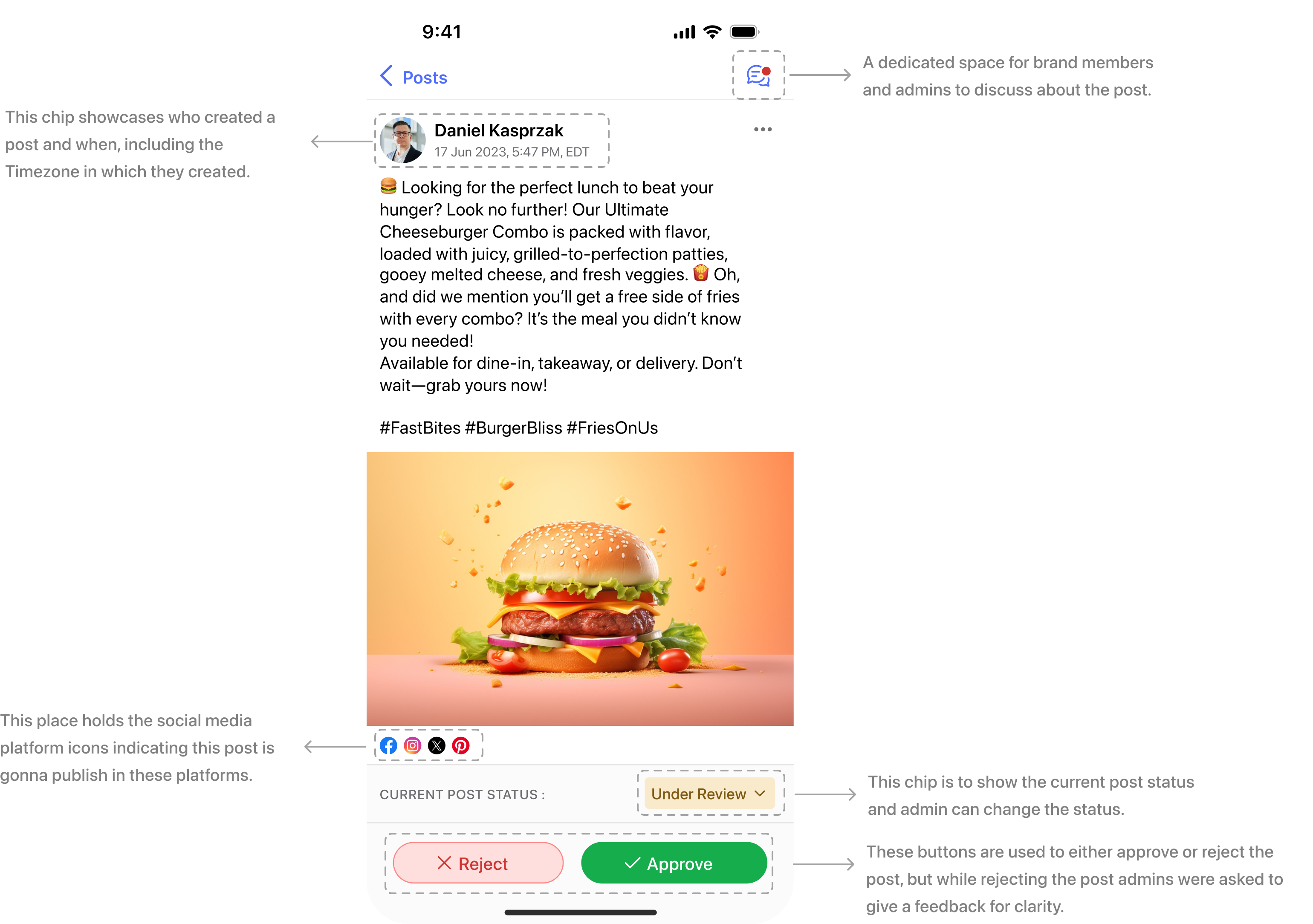
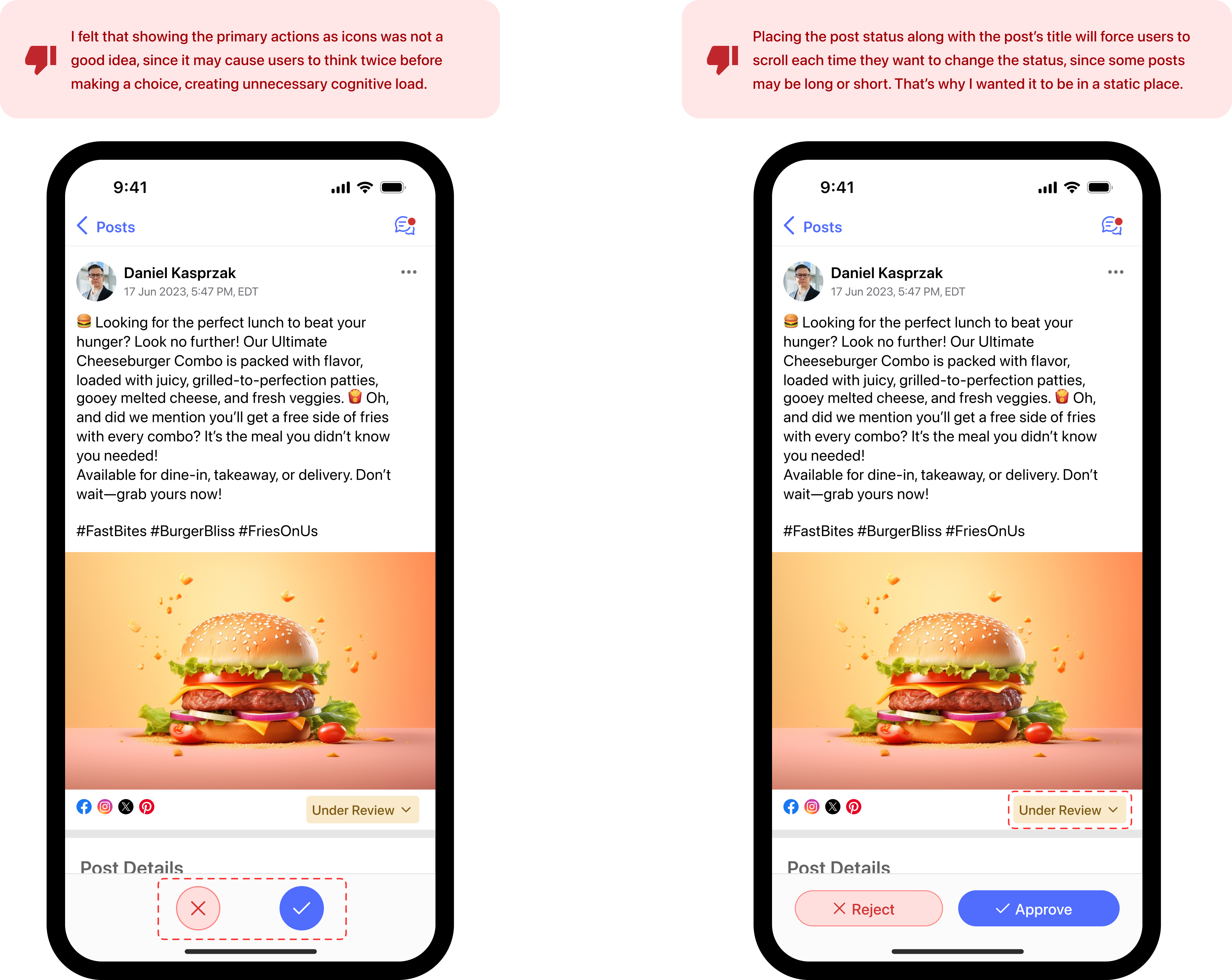
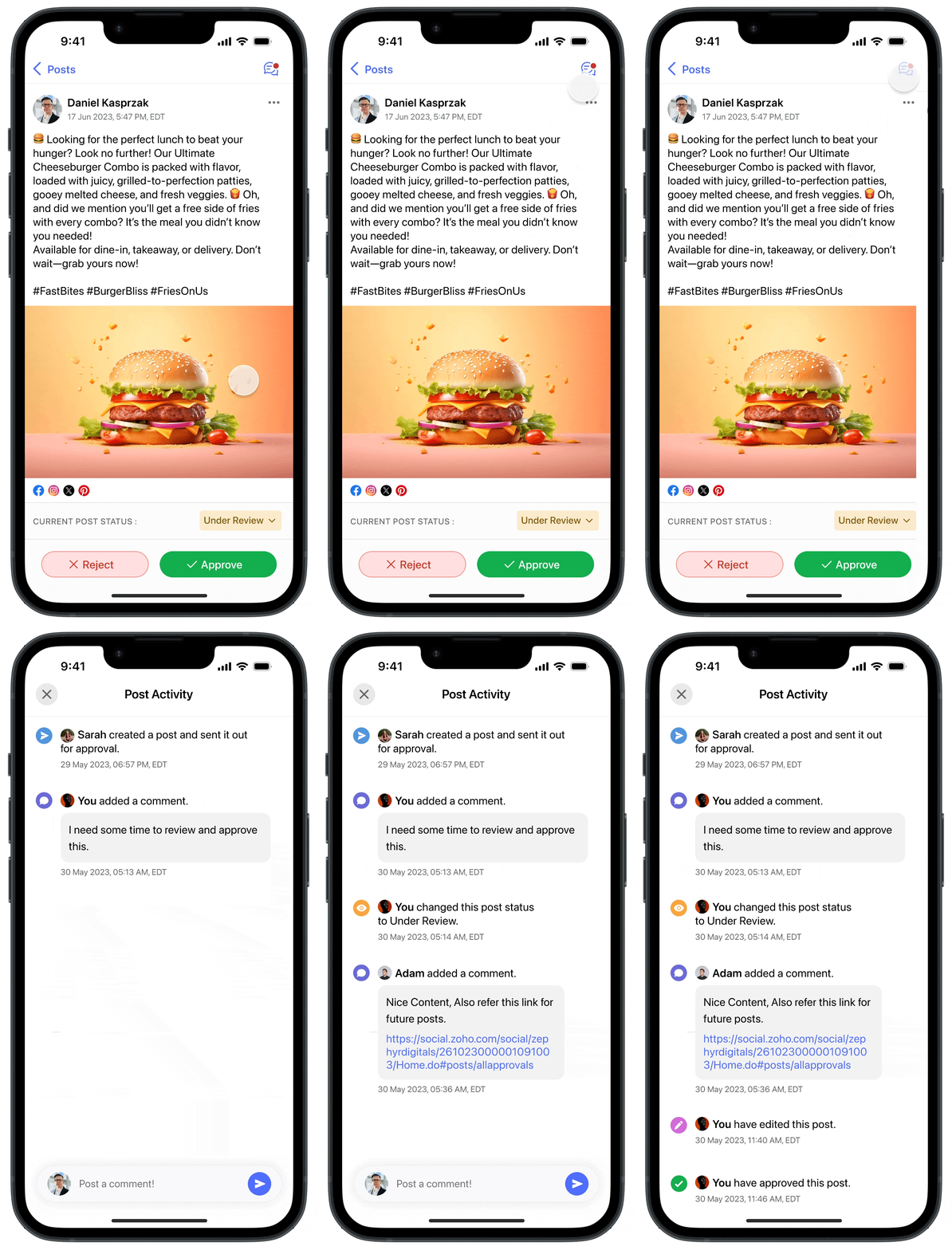
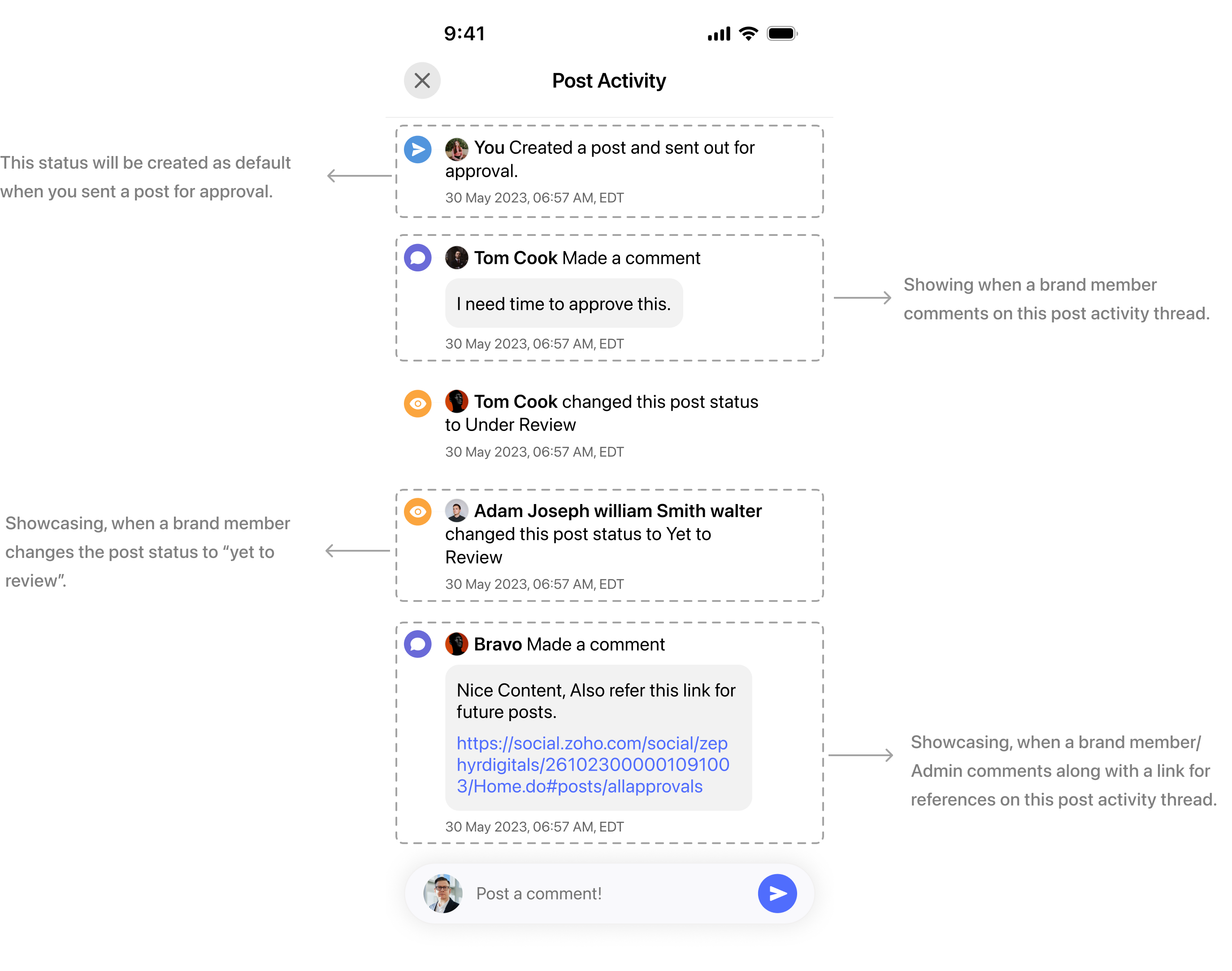
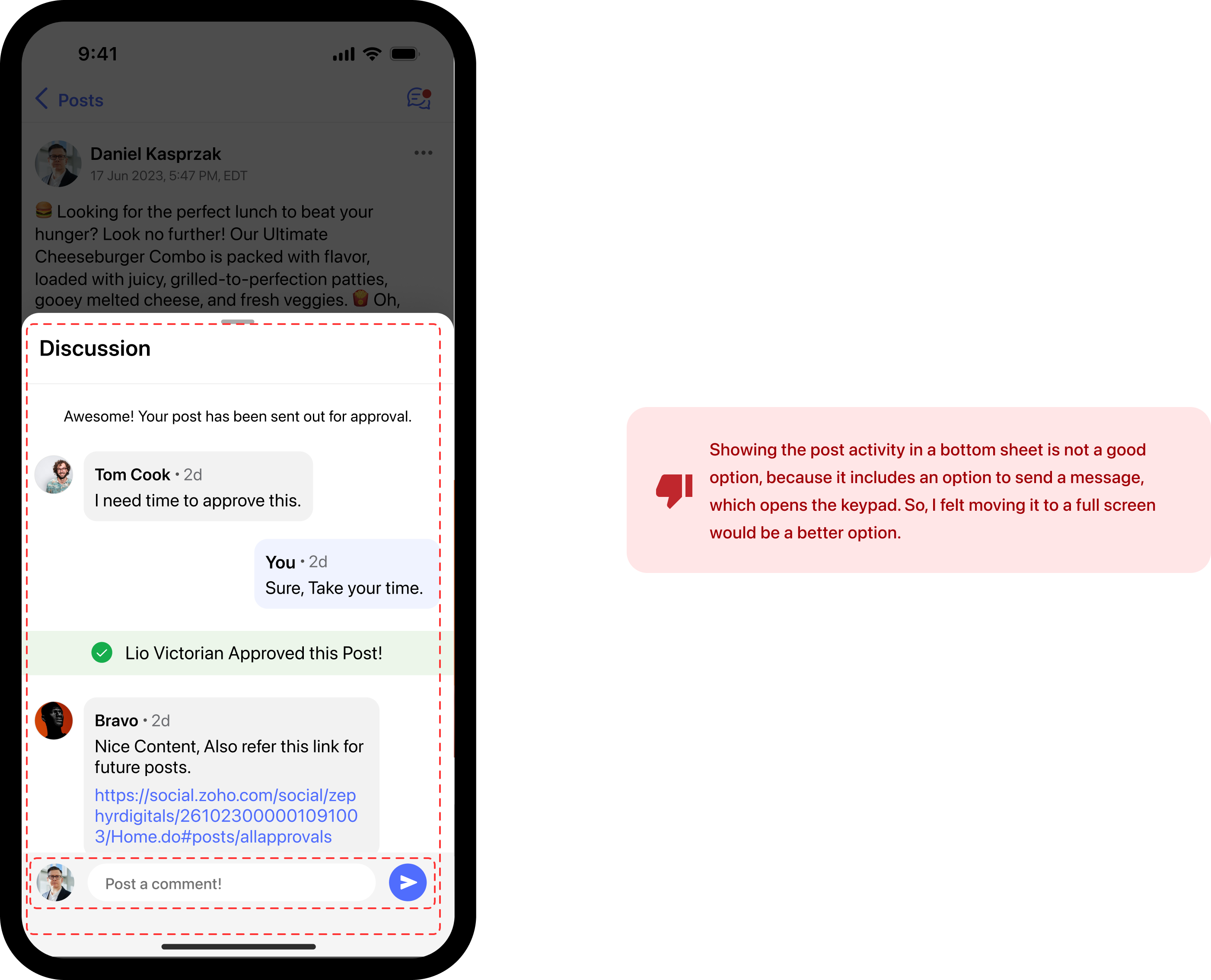
In some cases, the post might only requires a small tweak in those cases rejecting a post might not be the optimal solution, since they will be creating the post from the stat just for a small tweak. So I created a chat box separate to each post where admin and brand members can discuss and take a decision.
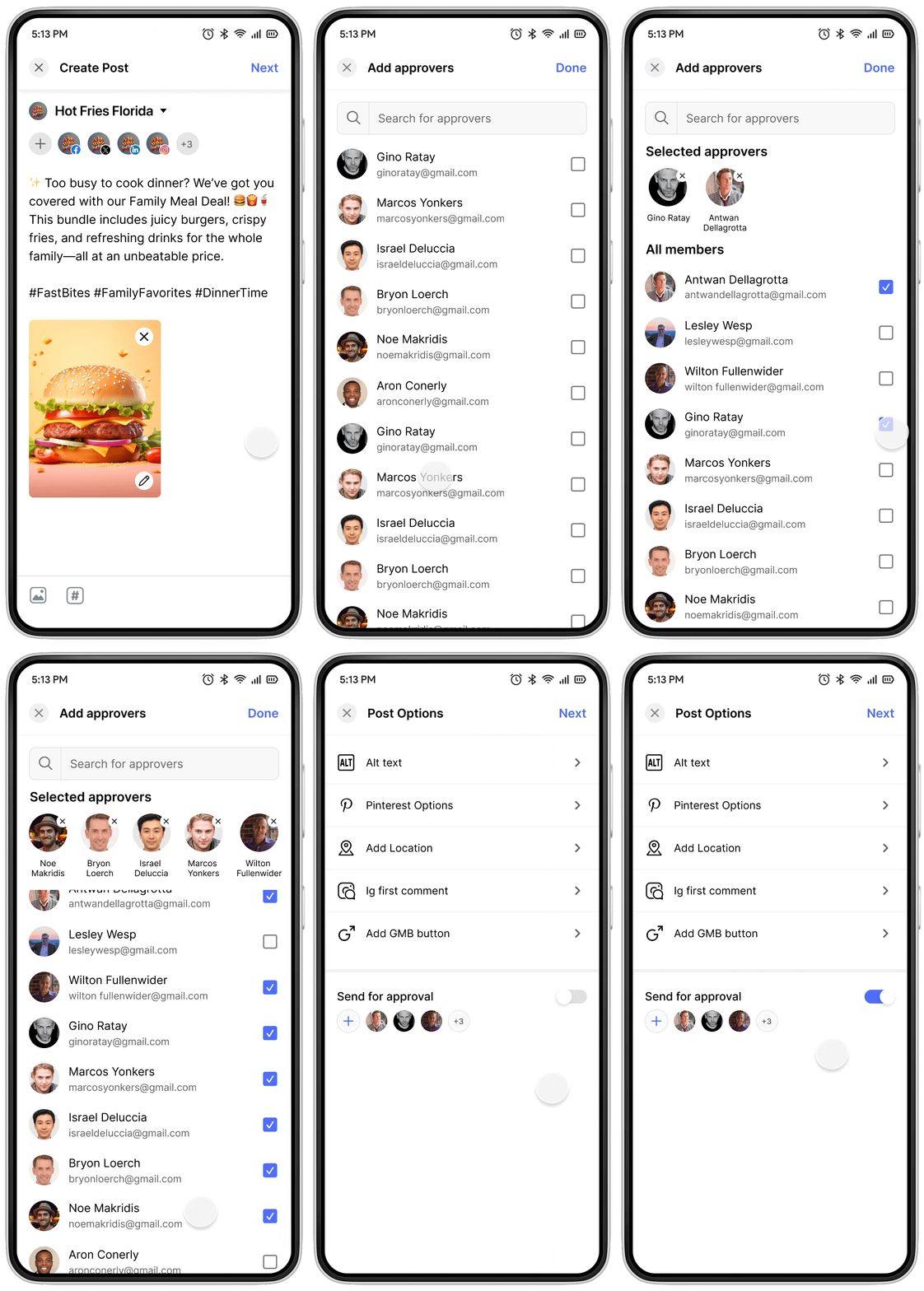
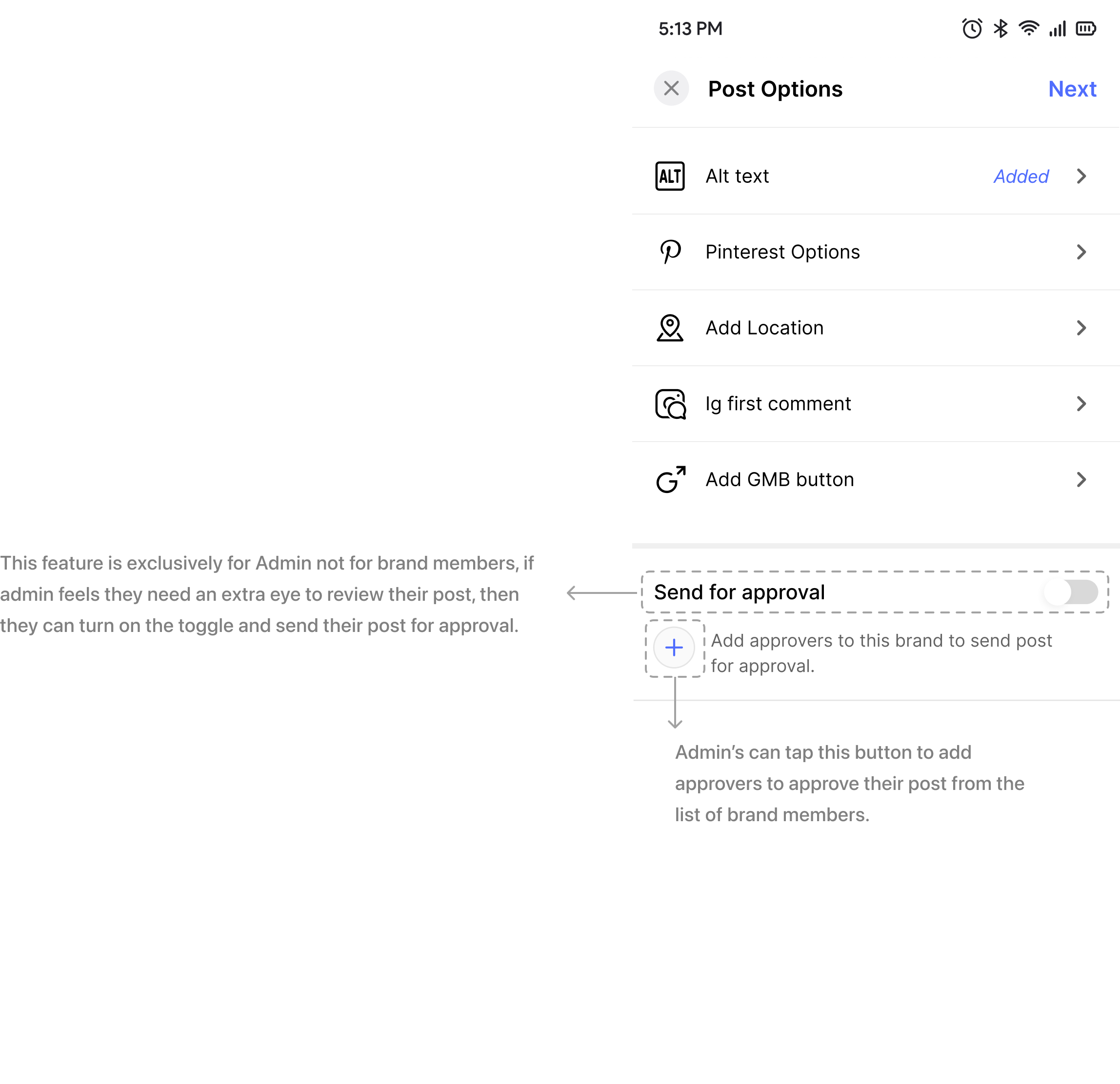
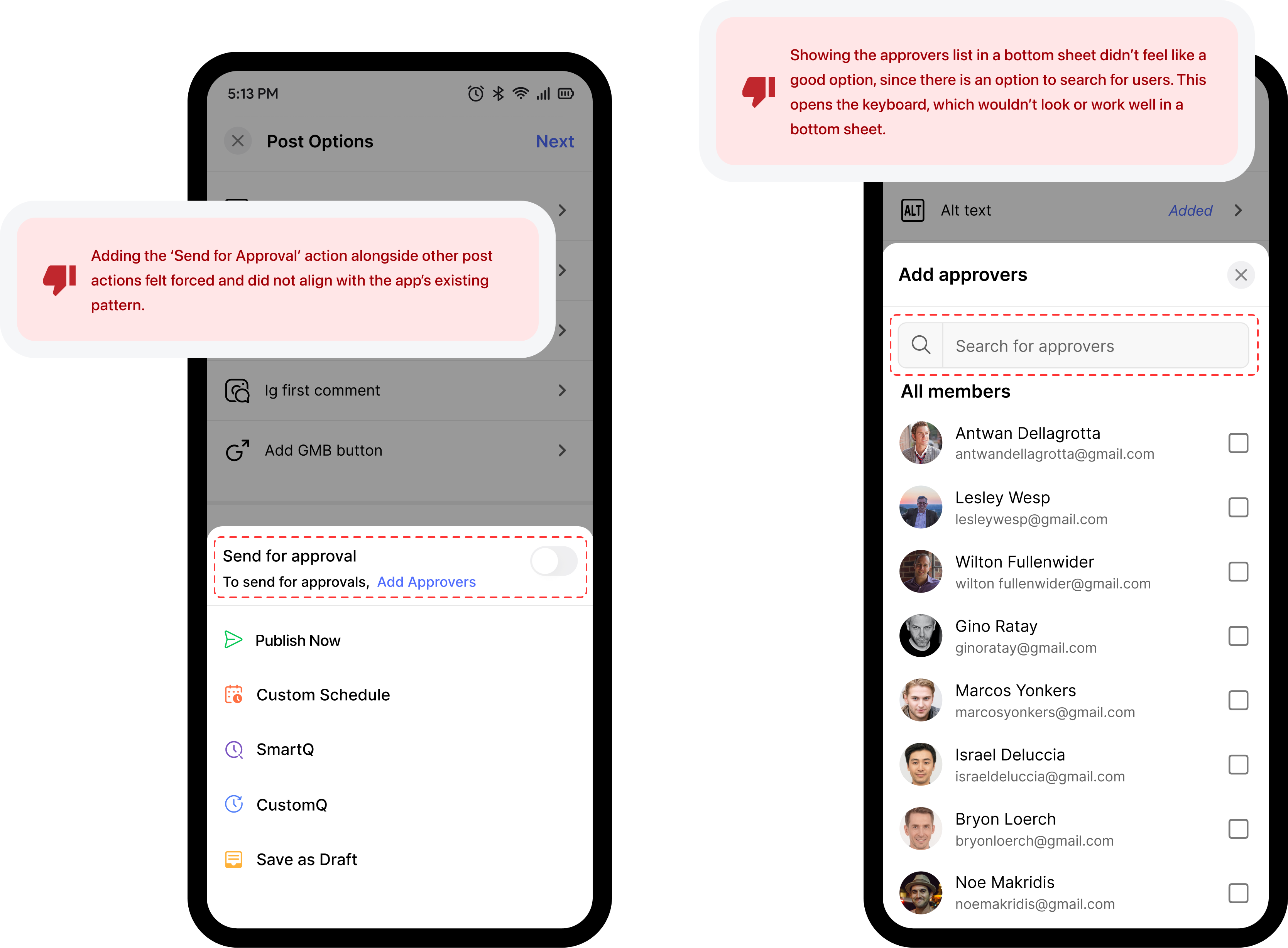
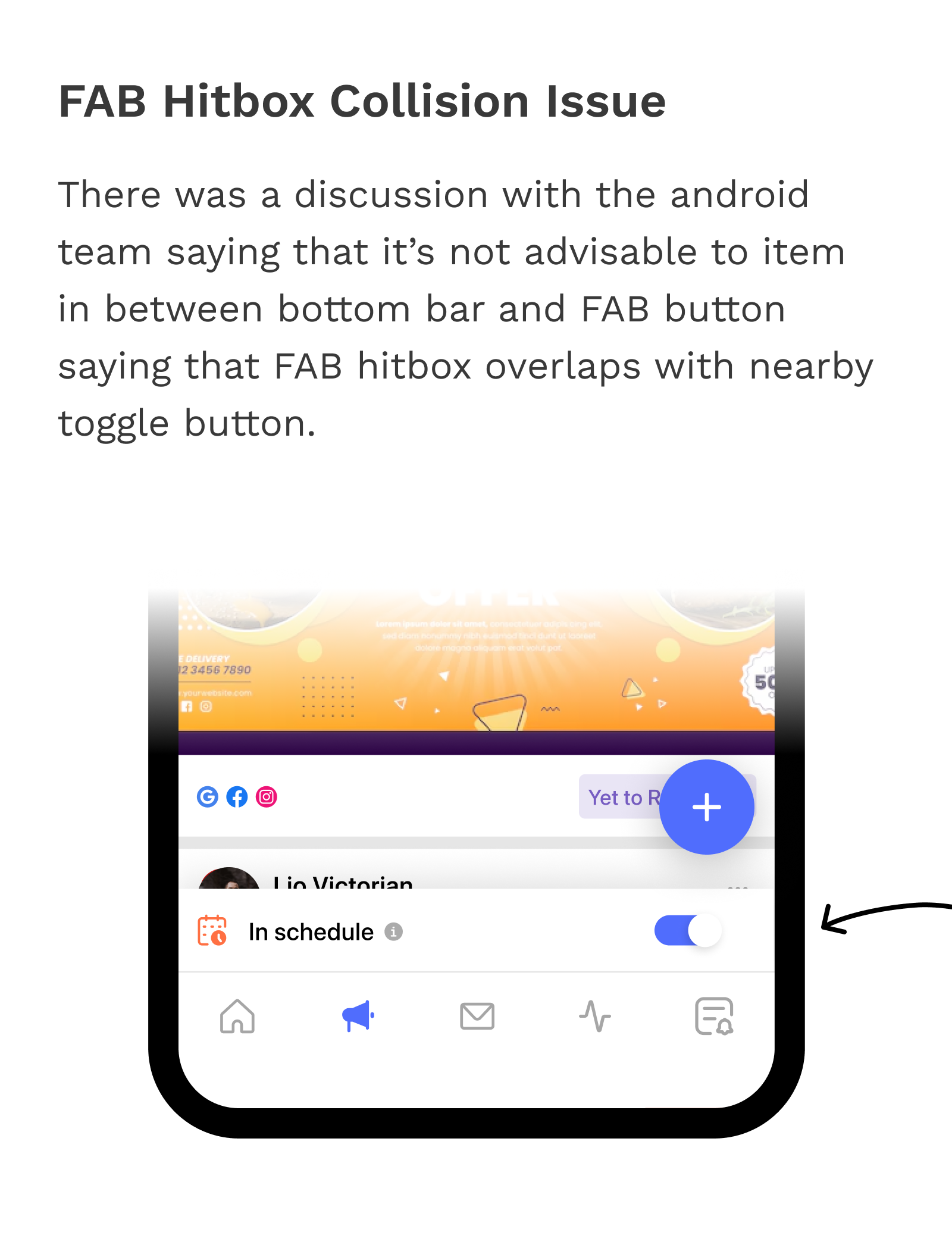
While discussing with the PM, We felt it’s mandatory to give option to admins to send their post for approvals if they wanted to. So we gave it as an toggle
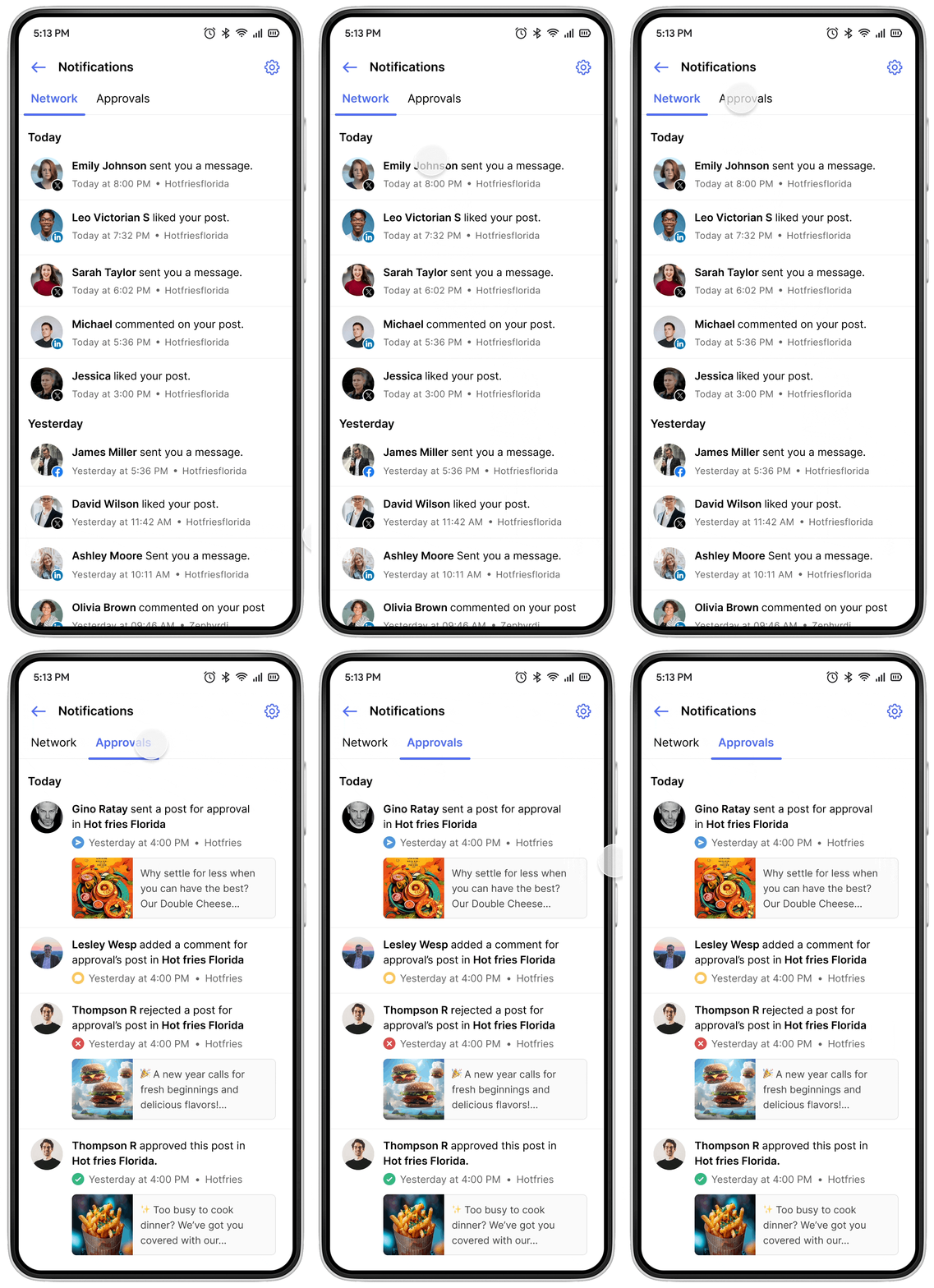
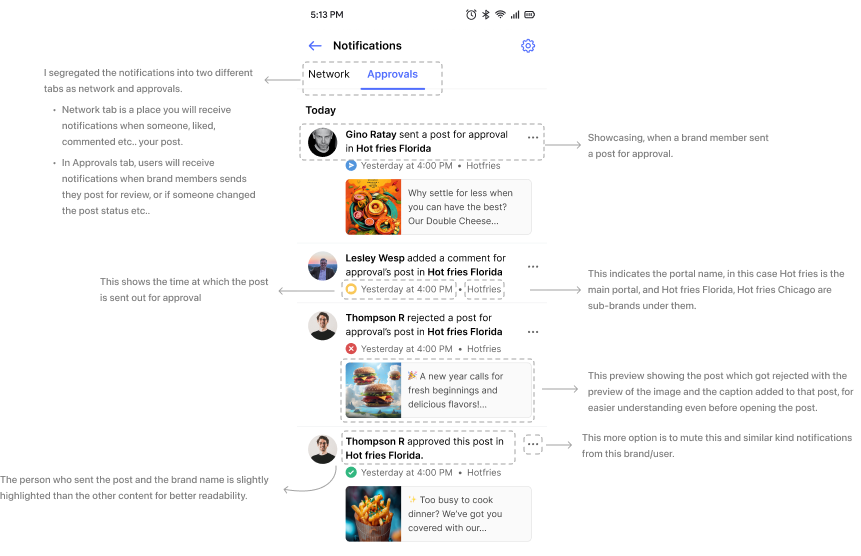
I realized that receiving notification from social media platforms (Insta,Fb,etc..) and from the approvals flow would be confusing for users so I implemented a new tab near to network notification.
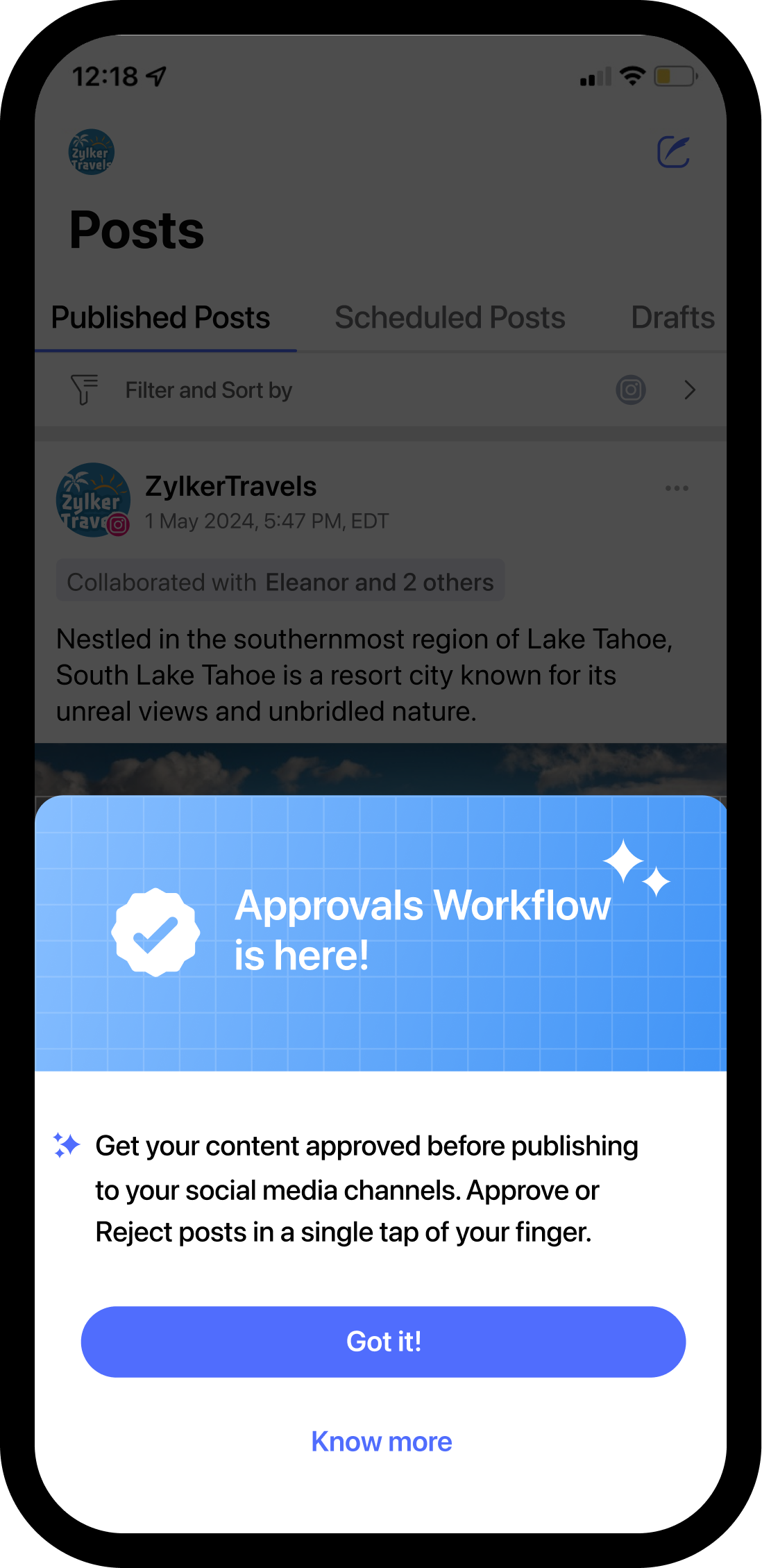
To let the users know about this new feature I designed an simple onboarding.
Since its launch in July 2023, the Approvals feature has drastically
Reduced publishing errors by 40%and improved overall team collaboration, allowing brands to manage their social media presence with more confidence and control.
The Approvals feature also saw high adoption rates, with
Over 80% of users engaging with itwithin the first month of its release. This demonstrated not only its ease of use but also its immediate relevance to user needs, significantly improving user satisfaction and workflow efficiency.
Continuous Improvement is Essential: The success of the Approvals feature showed how important it is to keep refining a product. Iterating based on user feedback ensured that the feature not only worked but fit naturally into their existing workflows.
Listening to Users Matters: Engaging with users throughout the design process helped us understand their daily challenges. By incorporating their feedback, we built a feature that truly solved their pain points and made collaboration easier.